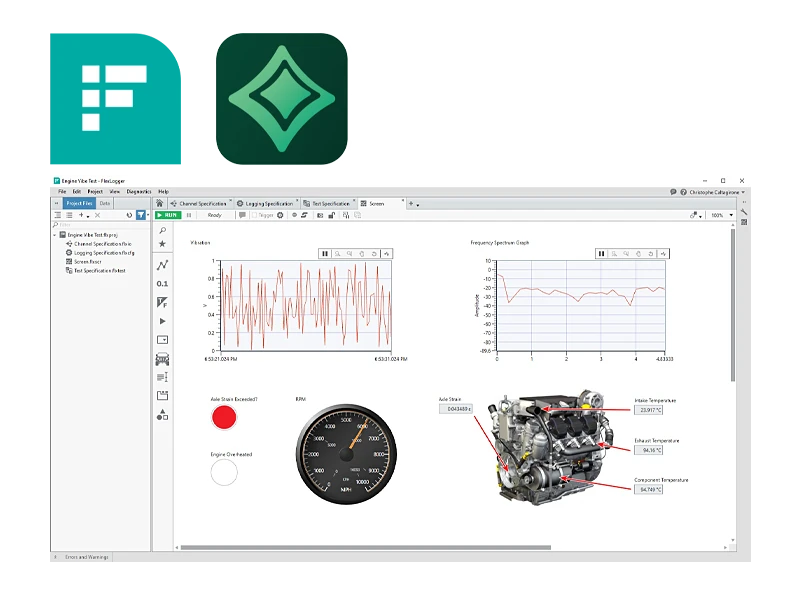
FlexLogger from National Instruments (NI) is a powerful software solution designed specifically to meet the data acquisition and prototyping needs of the automotive, aerospace, and other industries. FlexLogger enables engineers and technicians to efficiently configure and perform data acquisition tasks without requiring extensive programming knowledge. Sensor-specific configuration workflows enable rapid setup, visualization, and logging of synchronized measurements from analog sensors, digital signals, and bus systems for vehicle communication. You can also generate voltage, current, or digital signals to drive actuators or control setpoints, which can be automated via event triggers in response to changing conditions.
FlexLogger Software Features:
Intuitive User Interface: FlexLogger offers a user-friendly interface that enables users to quickly set up and operate their data acquisition and test systems. The graphical user interface makes it easy to configure channels, sensors, and modules without requiring in-depth programming knowledge.
Real-time data display and analysis: The software supports real-time data display and analysis, which means users can monitor and analyze measurement data in real time. This is particularly useful for troubleshooting and for making immediate decisions during testing.
Support for various sensors and signals: FlexLogger can process a wide variety of sensors and signal types, including temperature, pressure, voltage, current, rotational speed, and much more. This versatility makes the software ideal for a wide range of measurement and testing requirements.
Automatic data logging:The software offers automatic data logging features, ensuring that all captured data is stored reliably and consistently. Users can easily customize the logging settings to meet their specific requirements.
Customizable User Interface: FlexLogger allows users to customize the user interface so that the most important information and controls are easily accessible. This improves the software’s efficiency and user-friendliness.
Data Export and Reporting Features: The collected data can be exported in various formats, including CSV and TDMS, enabling easy further processing and analysis in other software tools. In addition, FlexLogger offers built-in reporting features that allow test results to be documented quickly and professionally.
Applications of FlexLogger:
Automotive industry: In the automotive industry, FlexLogger is frequently used to monitor and analyze vehicle tests. This includes both laboratory and field tests for validating vehicle components and systems.
Aerospace: In the aerospace industry, the software is used to collect and analyze data from various tests, including structural integrity tests and environmental testing of aircraft components.
Mechanical Engineering: FlexLogger is used in mechanical engineering to monitor and analyze machine performance and condition. This helps improve the reliability and efficiency of machines and reduce downtime.
Research and Development: In research and development laboratories, FlexLogger is used to collect and analyze accurate and reliable data for a wide range of experiments and studies.
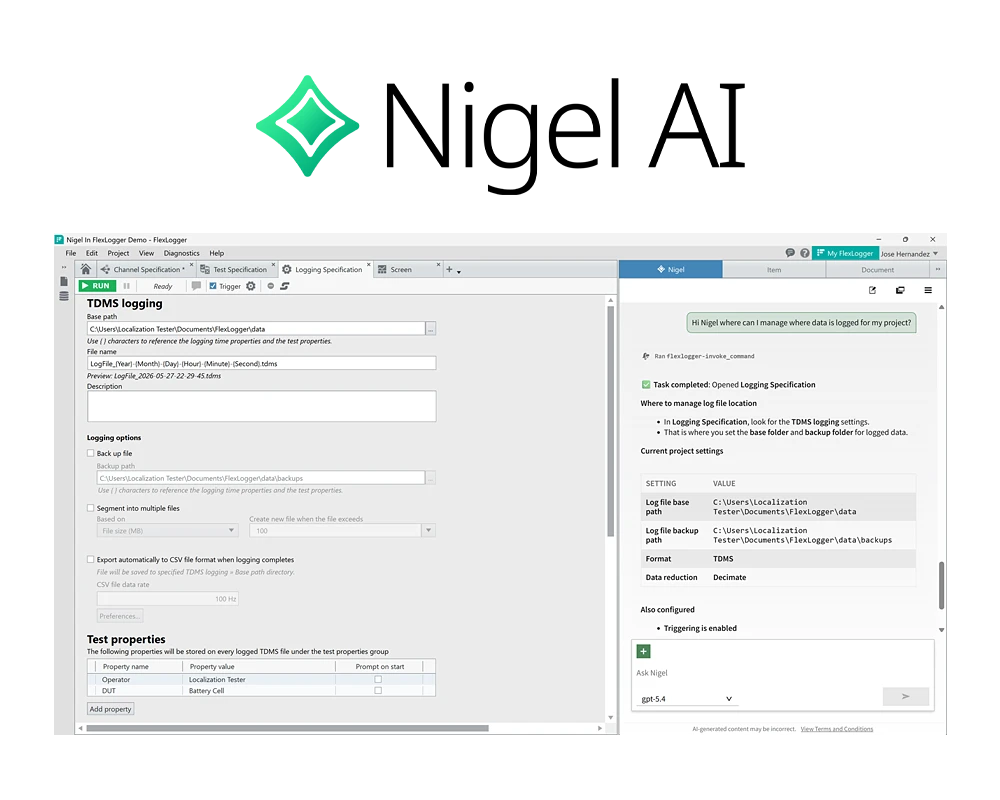
Test-optimized AI assistant Nigel AI.
The Nigel AI Advisor provides context-aware guidance, automation, and deeper insights into your NI software. Unlike general-purpose AI advisors, Nigel AI is specifically optimized for the development of test applications. It builds on decades of test expertise and reliable data, not only providing more precise answers but also presenting them in technical formats such as tables and charts—so you can make informed decisions faster.
Nigel AI is integrated into FlexLogger Professional* and offers expert assistance with using FlexLogger, from onboarding and reviewing projects to configuring settings and more.
Highlights:
- Expert support for the design and development of test systems
- Helps you learn the FlexLogger environment
- Provides information about your hardware so you can work even more productively
Since Nigel AI was developed specifically for testing and is integrated into the NI software environment, the AI works within the context of your project.
Note: Nigel AI is an optional feature and can be disabled by the user at any time. AI advisors, including Nigel AI, are new technologies. These advisors are still in their infancy, so they may make mistakes. Nigel AI is here to advise you, but it’s important to verify the accuracy of its responses.
*Nigel AI is not available in FlexLogger Lite.




.jpg "783589-01")
.png "779012-01")
.jpg "781156-01")